

Step 1
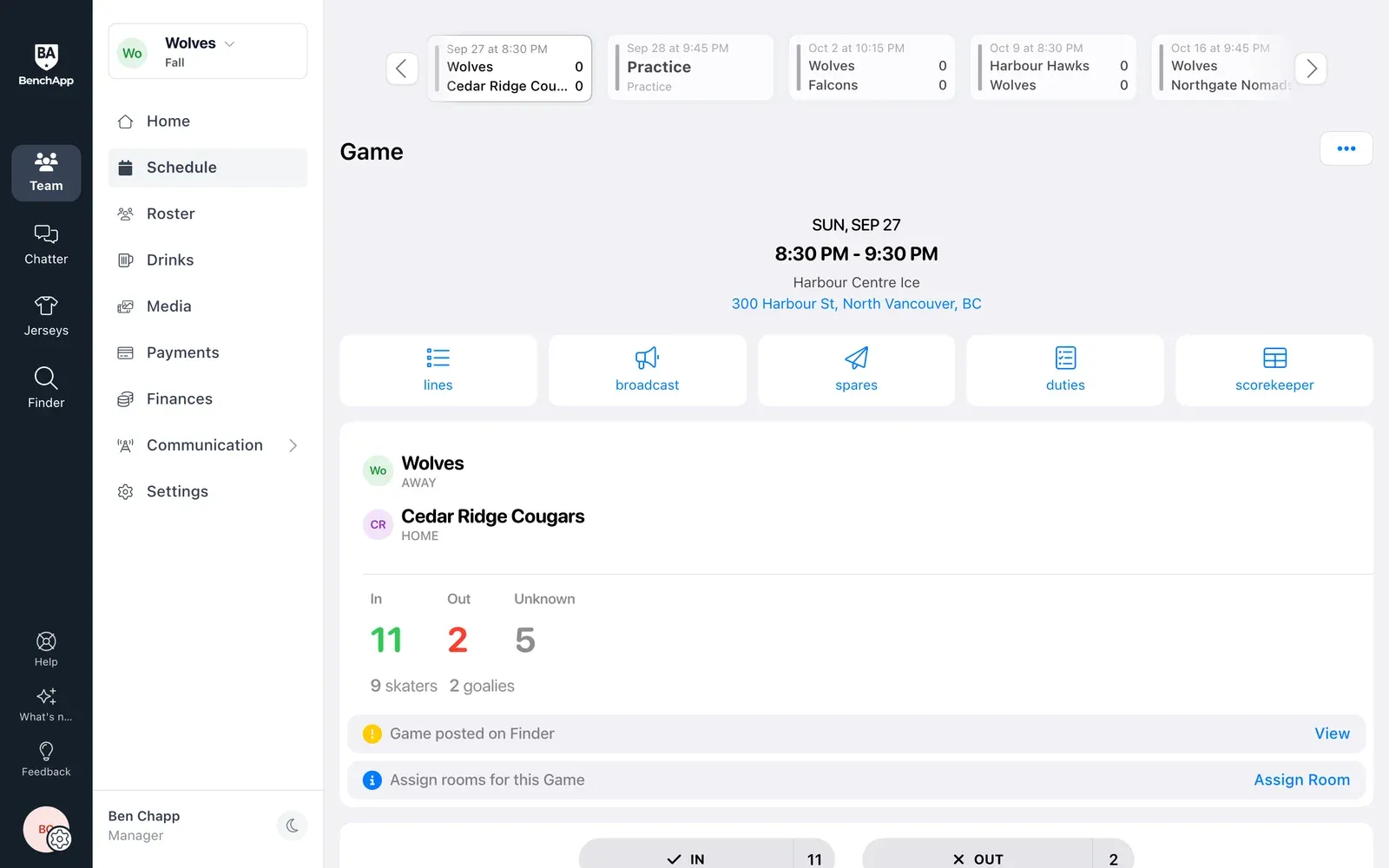
Start from who's coming
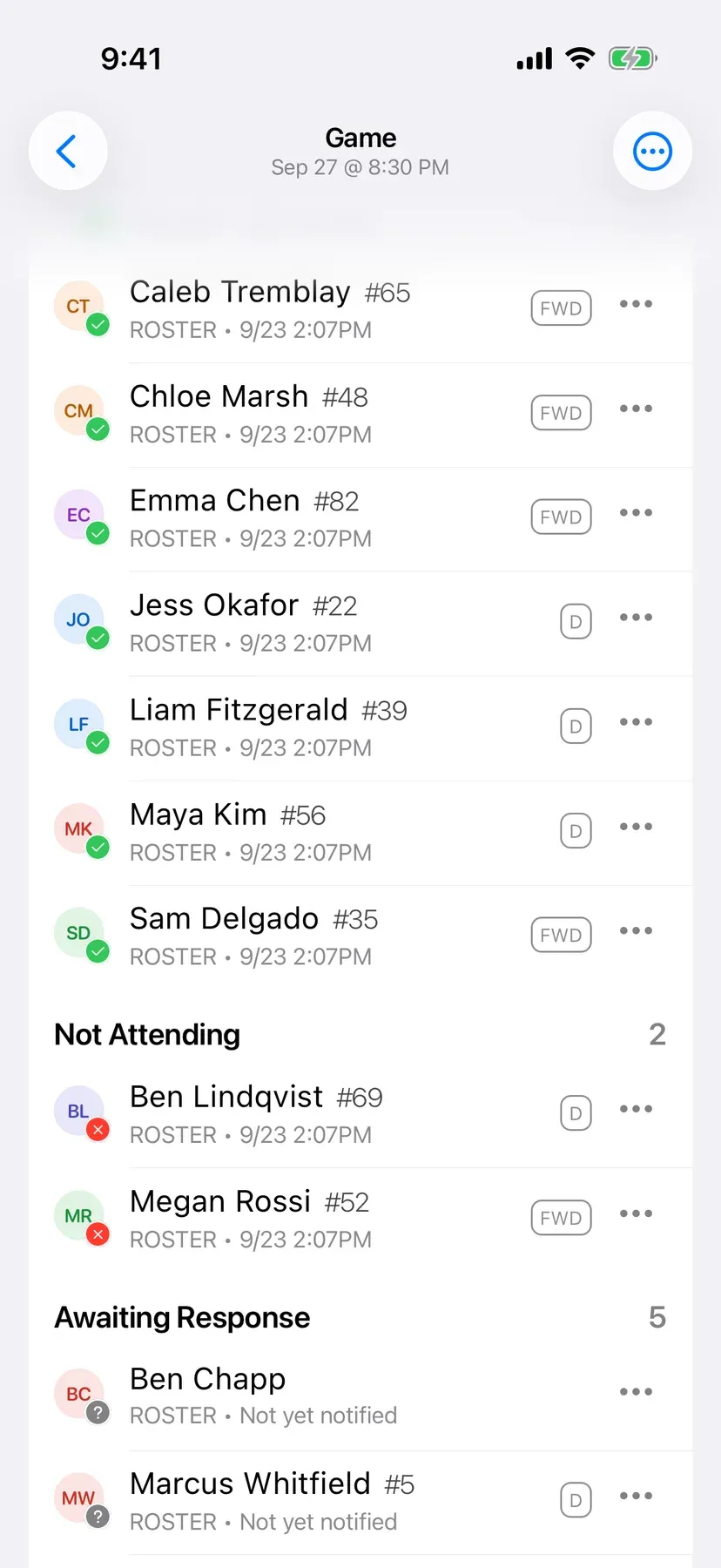
Open the game and the players who said they're in are listed first, so you build around the people who'll actually show up.
- Confirmed players at the top
- Goalies easy to spot
- Spares included
Lineups
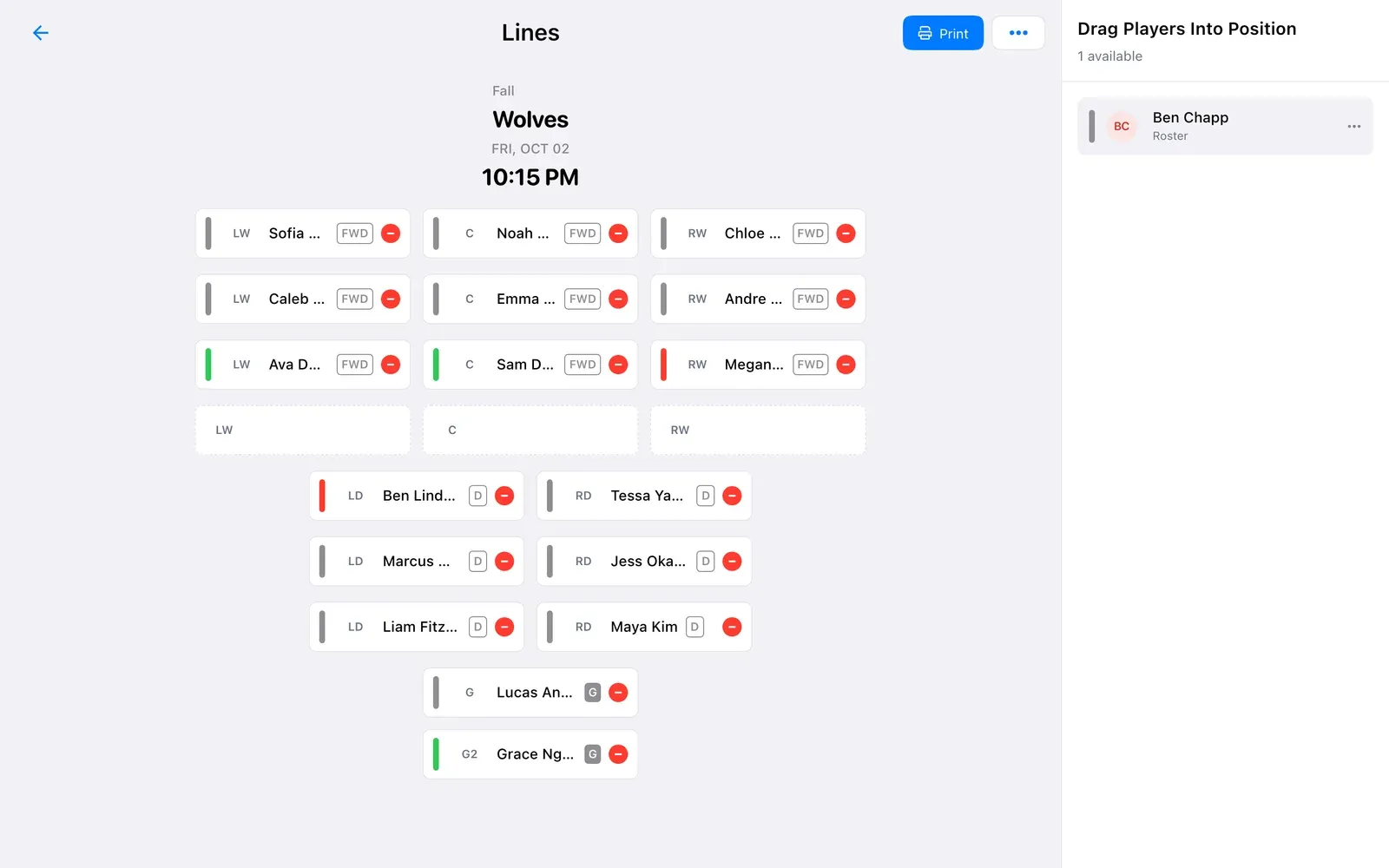
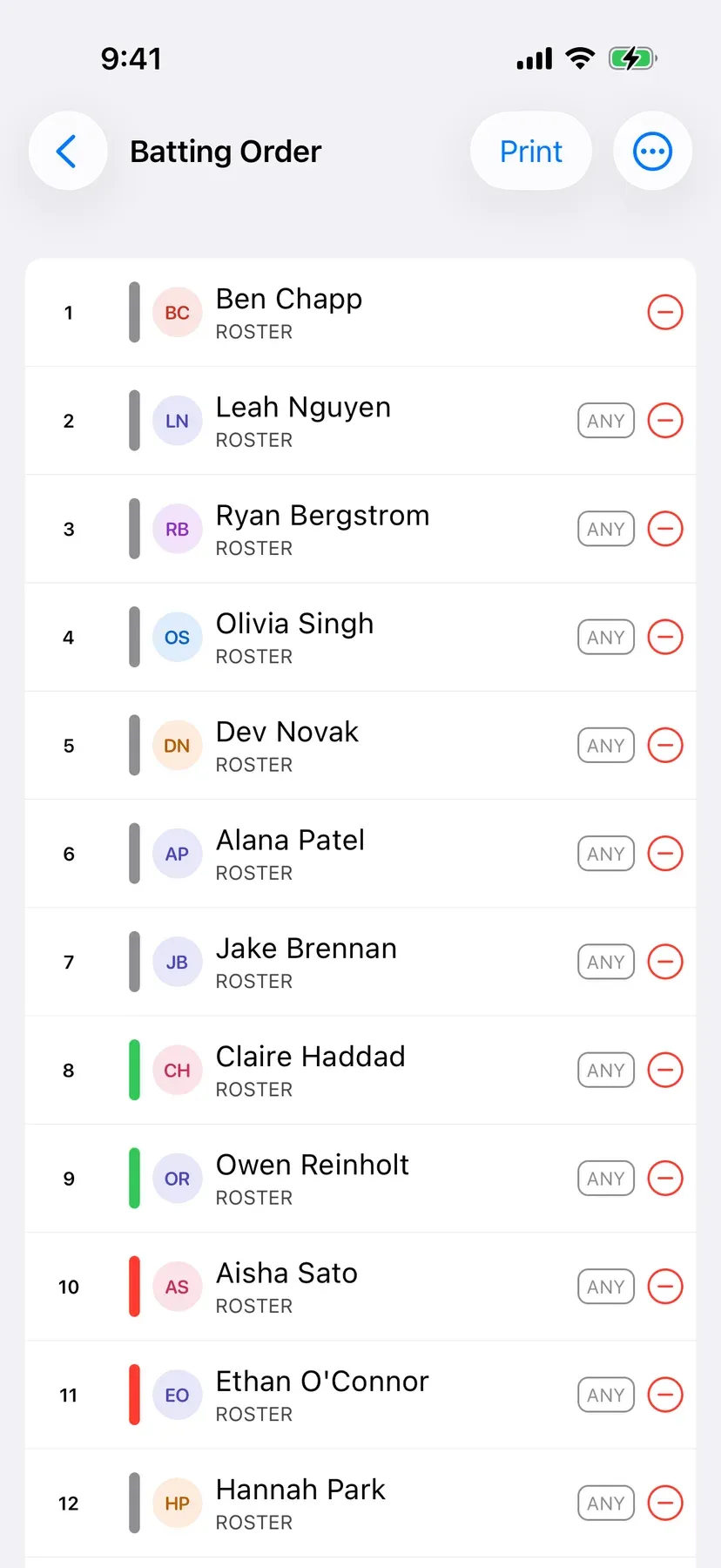
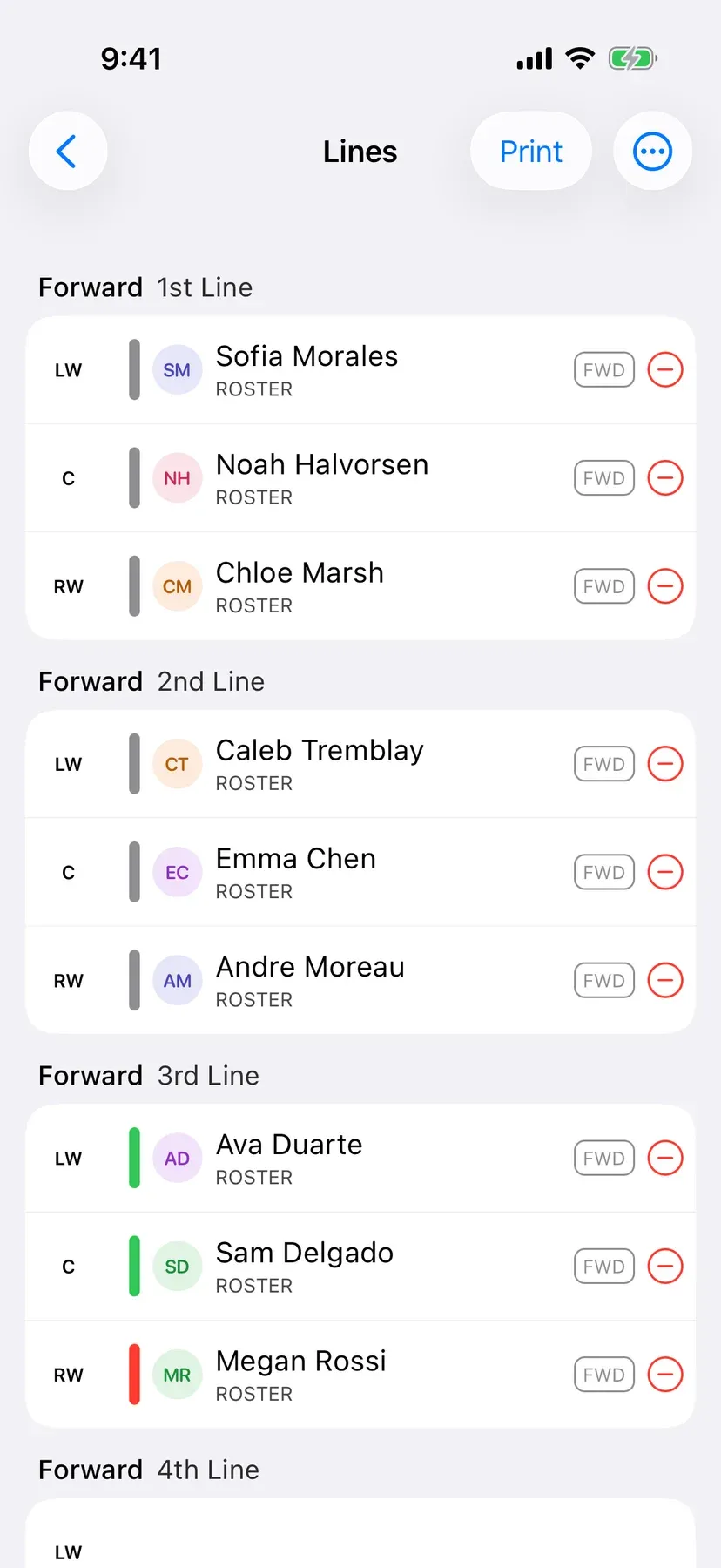
Drag players onto lines, positions or a batting order laid out for your sport. The players who said they're in are right at the top, and when you're done, share it with the team or print it for the bench.
Lineups are included free
How it works
Step 1
Open the game and the players who said they're in are listed first, so you build around the people who'll actually show up.
Step 2
Drop players onto lines or positions laid out for your sport. On your phone, tap a spot and pick a player.
Step 3
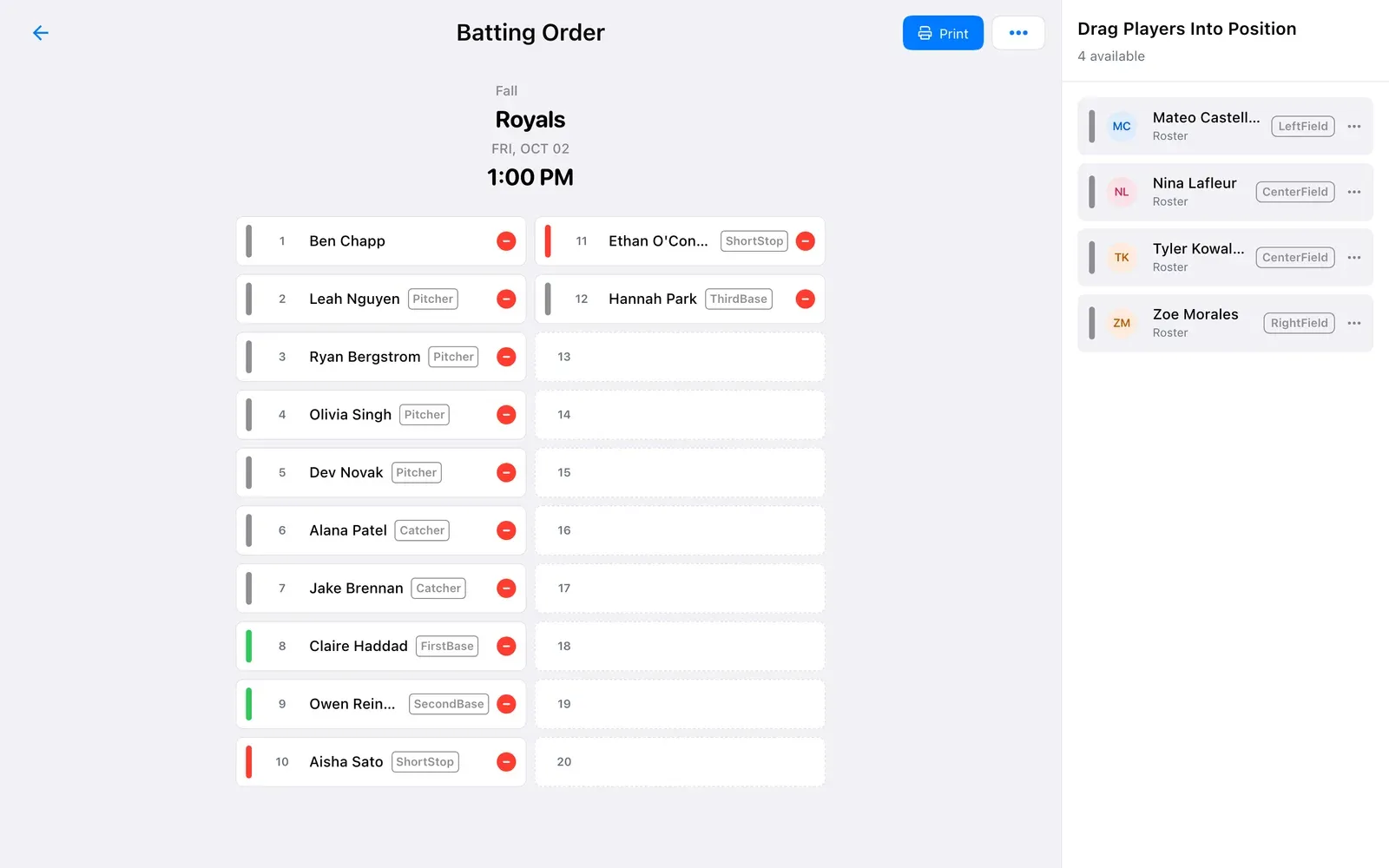
Baseball and softball teams get a batting order alongside their field positions. Move players up and down until it's right.
Step 4
Post the lineup to the team chat or print it for the bench. Every player sees where they're playing right on the game.
FAQ
Yes. Building, sharing and printing lineups is free. Random teams for drop-ins and scrimmages need BenchApp PRO.
Team managers set the lineup. Everyone else can see it and print it.
Hockey, ball hockey and roller hockey lines, soccer, lacrosse and ultimate positions, baseball and softball positions and batting orders, volleyball, golf foursomes, pickleball groups and cycling.
Yes. Baseball and softball teams have a batting order as well as field positions.
Post the lineup to the team chat. Each player also sees their own spot on the game.
Yes. Copy your previous lines or batting order in one tap, then change who's missing.
Yes, from the app or any web browser.
Create your team and set your first lineup in minutes.