
Duties & volunteers

Everyone knows who's bringing what.

Assign the drinks, pucks, snacks and scorekeeper for every game, or ask for a volunteer. BenchApp keeps the rotation fair, so it's never the same person every week.

Duties are included free

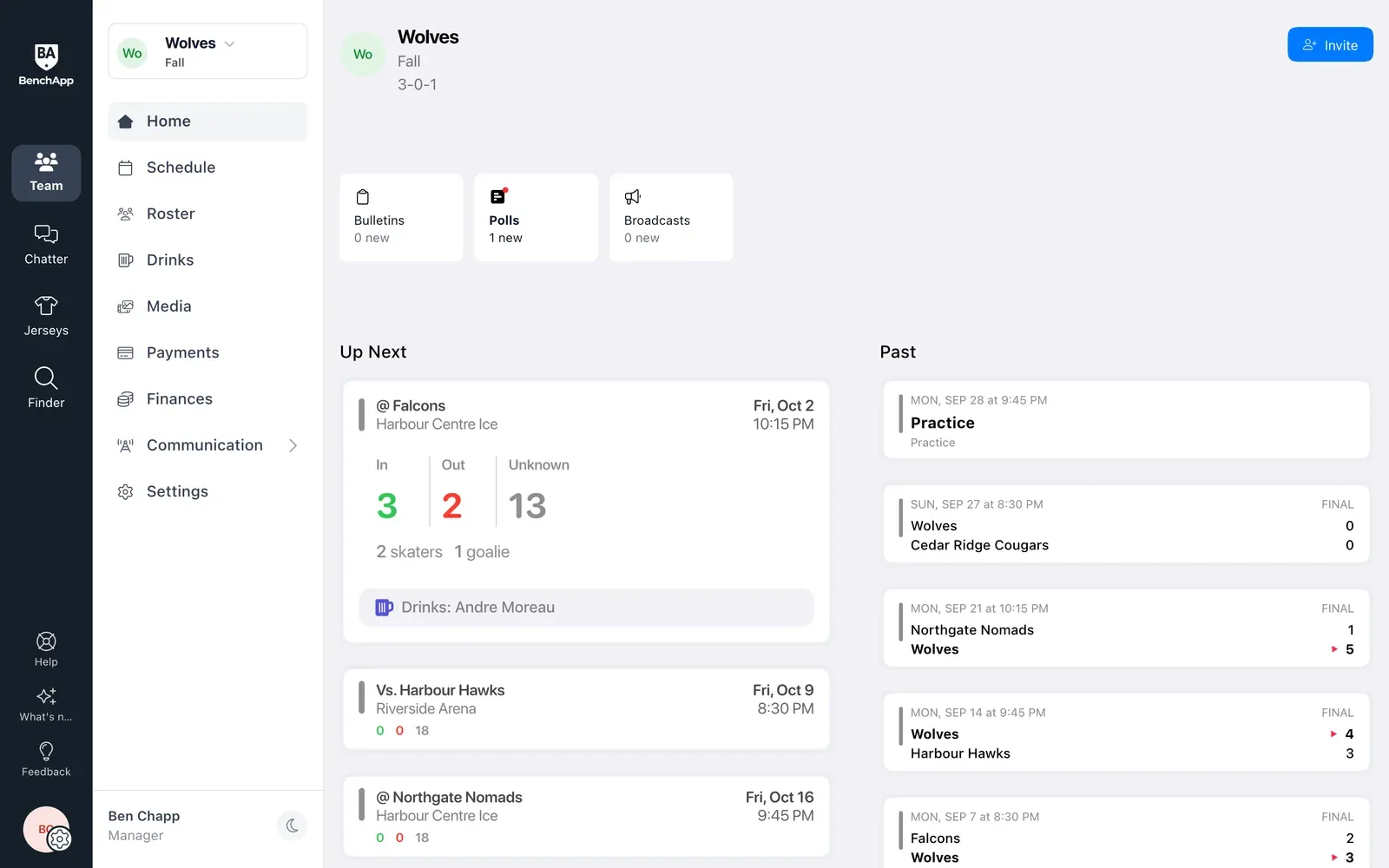
BenchApp on a computer: the next game on the team Home page, showing who's on drinks
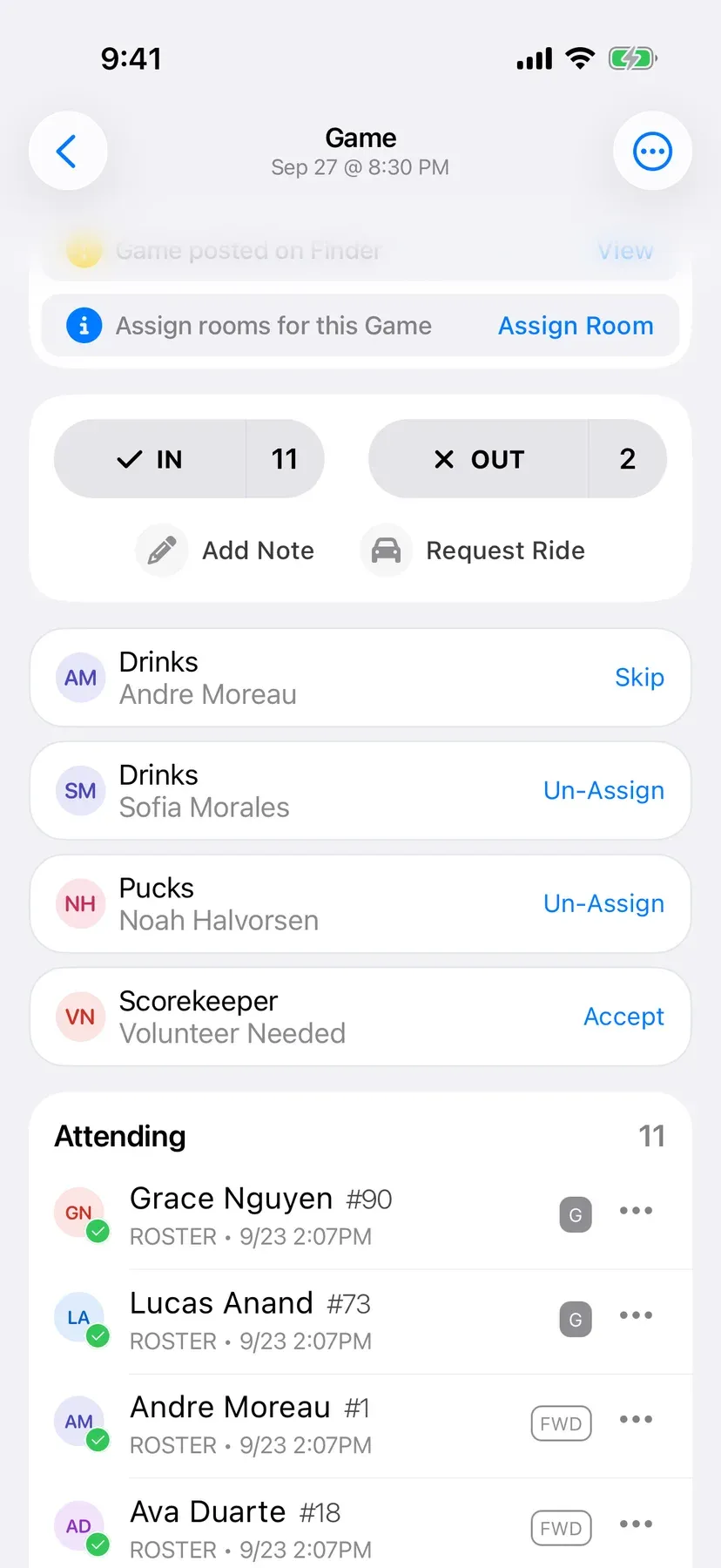
BenchApp on a phone: duties for the next game, with a player assigned to each job

How it works

From game-day chores to a fair rotation.

Step 1

Add duties to a game

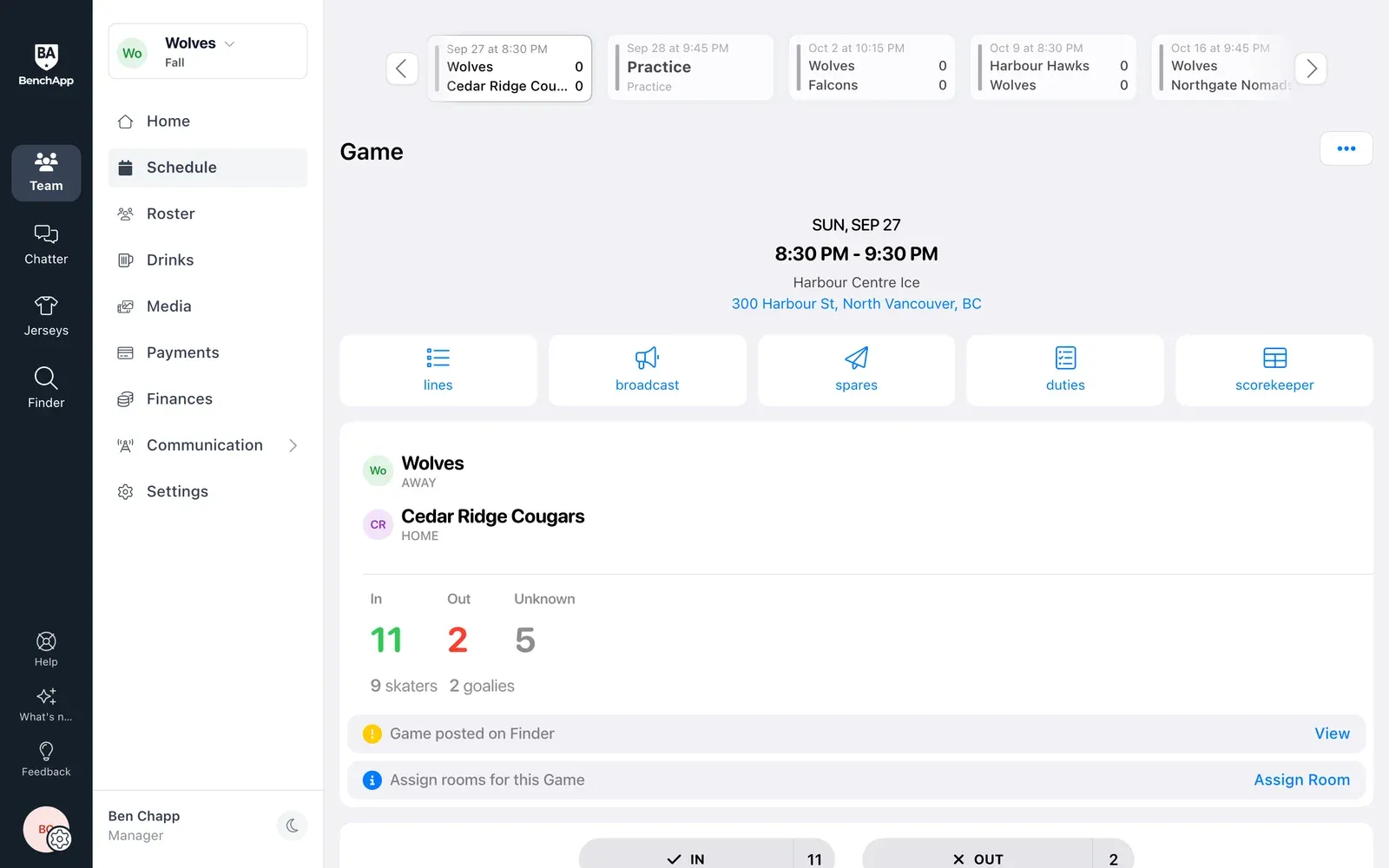
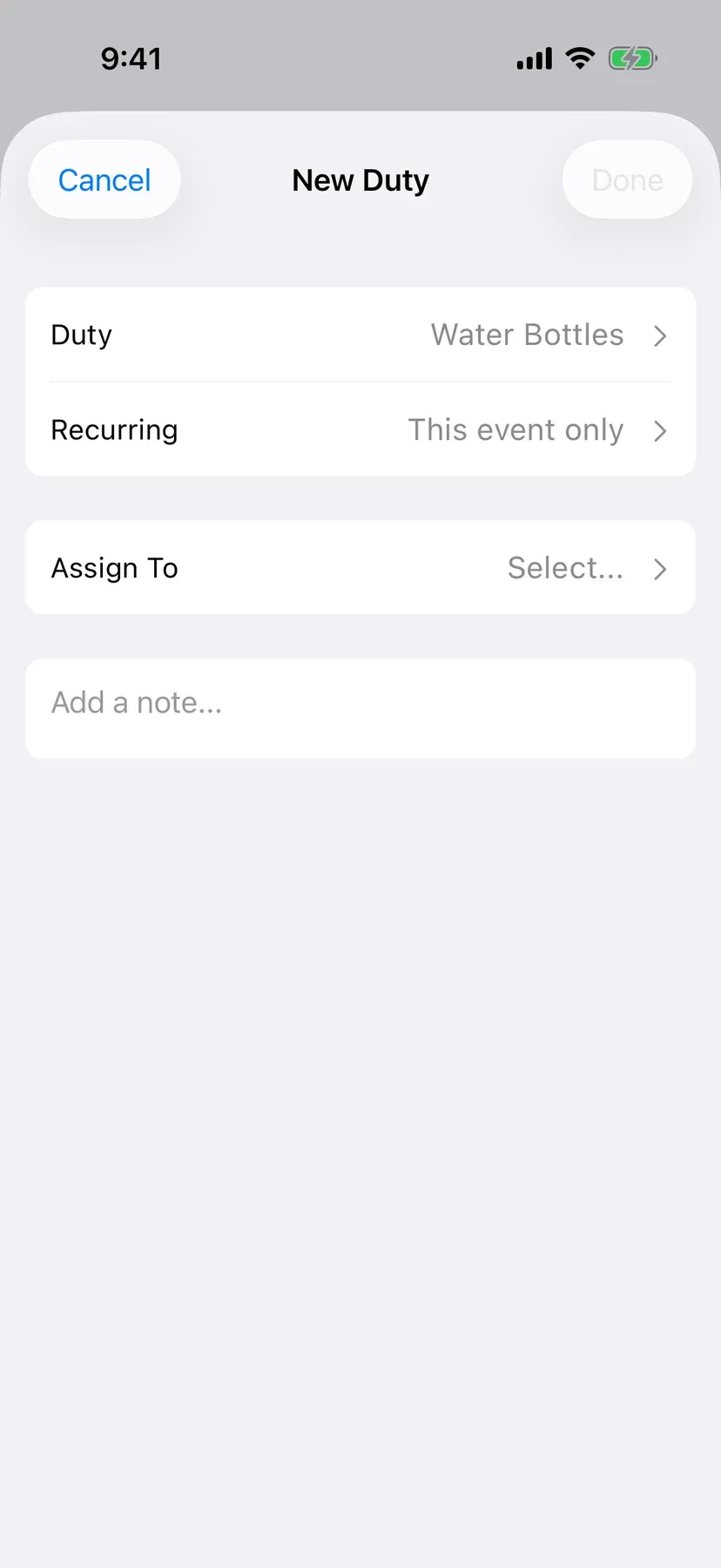
Open any game and add the jobs that need doing. Do it once for a single game, or set it for every game of the season.

  • Set it once for the whole season
  • Add a note like where to pick up the pucks
  • Works on your phone and computer
BenchApp on a computer: a game page with duties one click away
BenchApp on a phone: a new duty for a game, set for this game or every game

Step 2

Pick the job, or make your own

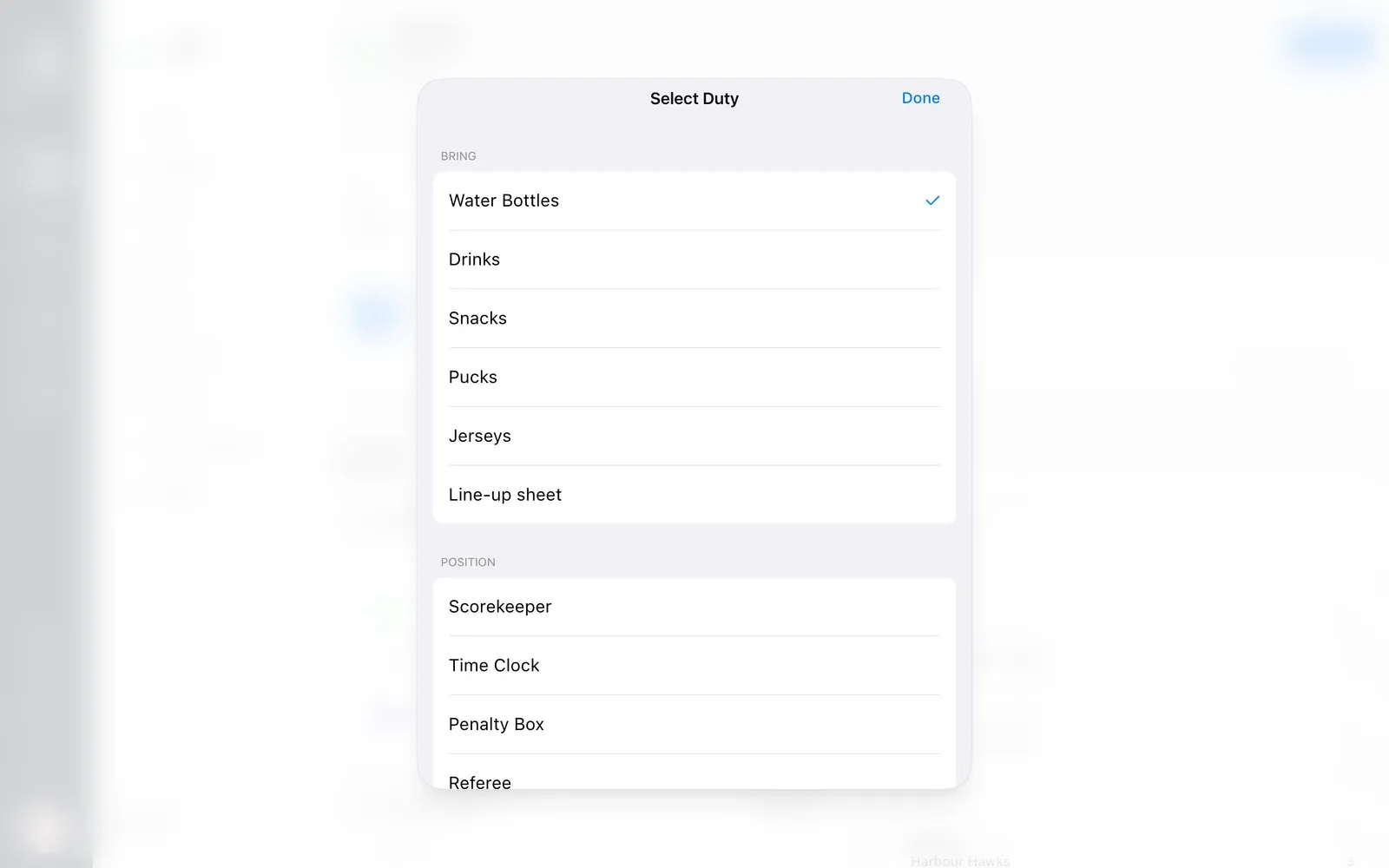
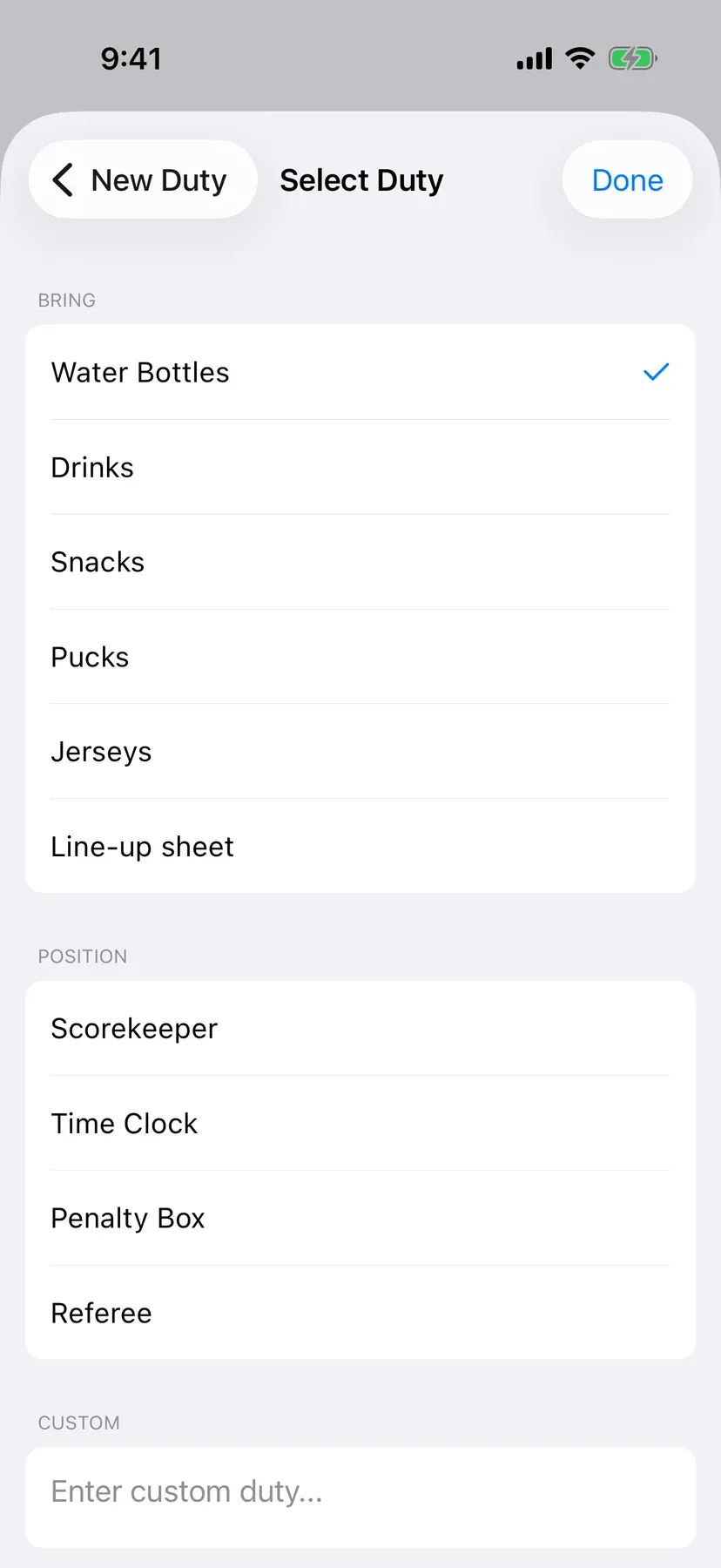
Choose from the jobs teams ask for most, from water bottles and snacks to the scorekeeper and time clock. Need something else? Type your own.

  • Drinks, pucks, snacks and jerseys
  • Scorekeeper, time clock and penalty box
  • Make up any job you need
BenchApp on a computer: a list of duties to bring and positions to fill
BenchApp on a phone: a list of duties to bring and positions to fill

Step 3

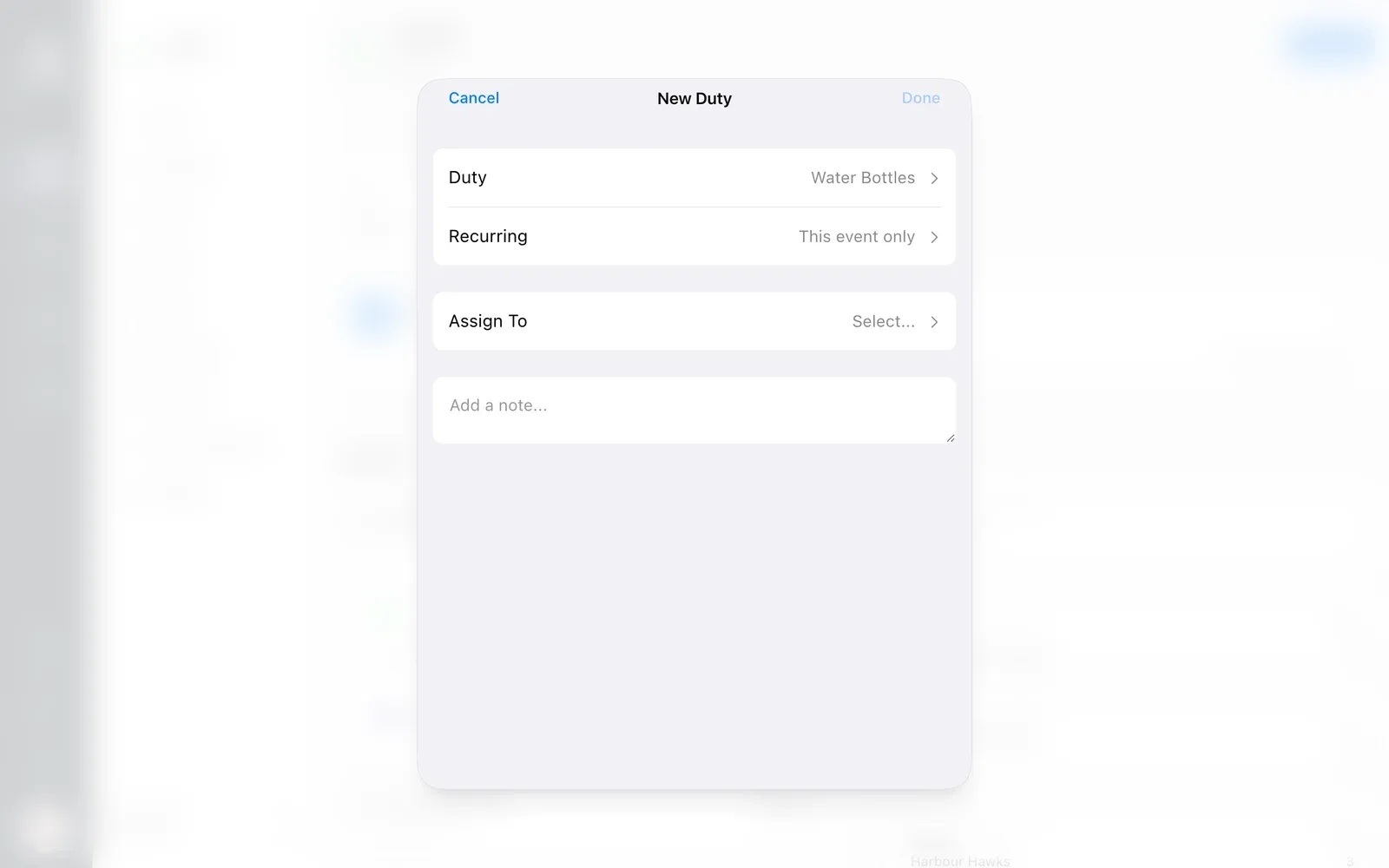
Assign someone, or ask for a volunteer

Give a job to a player, or leave it open so someone can step up. Everyone sees what's still needed right on the game.

  • Players take a job in one tap
  • Open jobs show Volunteer Needed
  • Anyone can skip if they can't make it
BenchApp on a computer: a new duty ready to assign to a player or a volunteer
BenchApp on a phone: the game's duties, with an open job waiting for a volunteer

Step 4

A drink rotation that keeps it fair

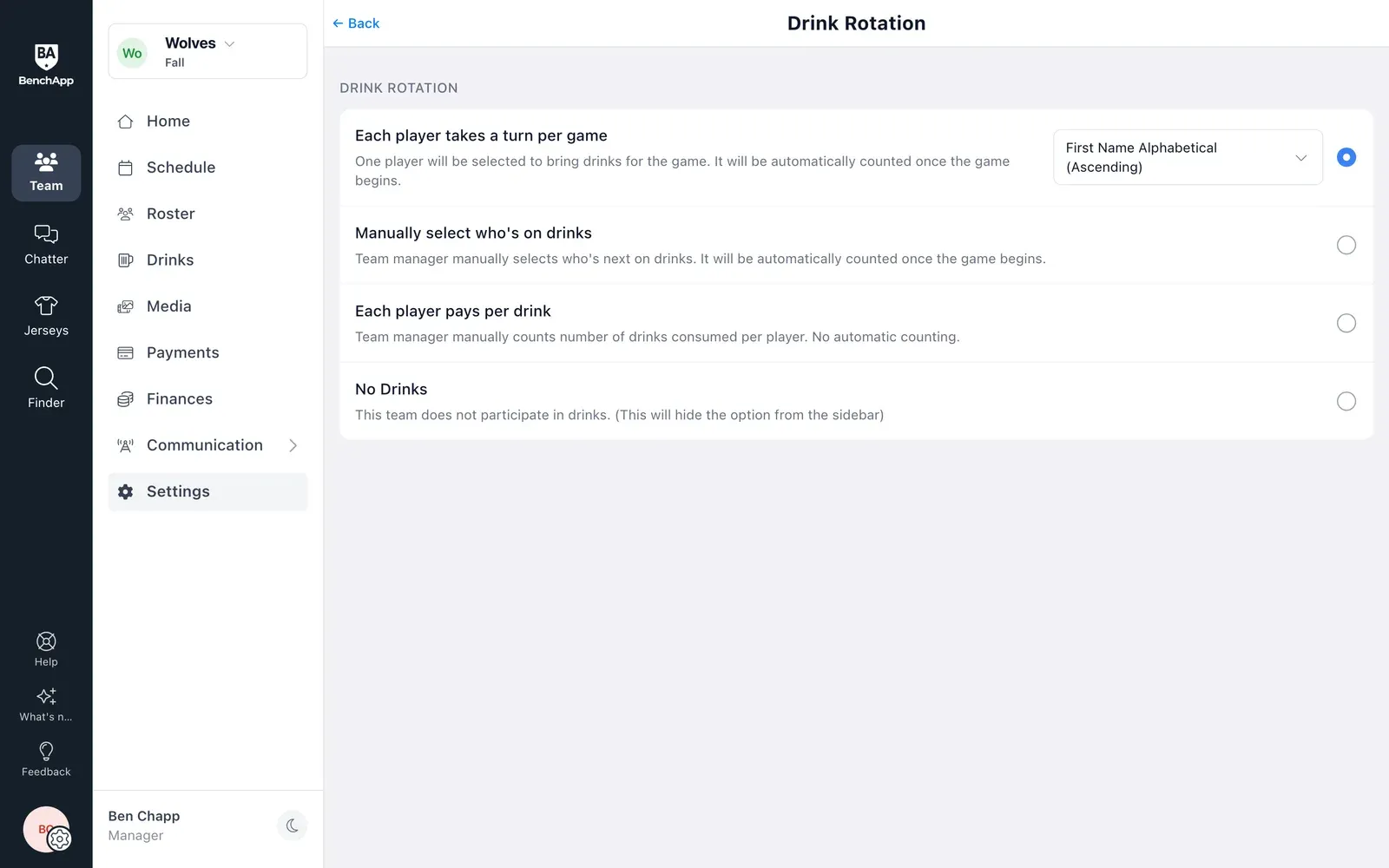
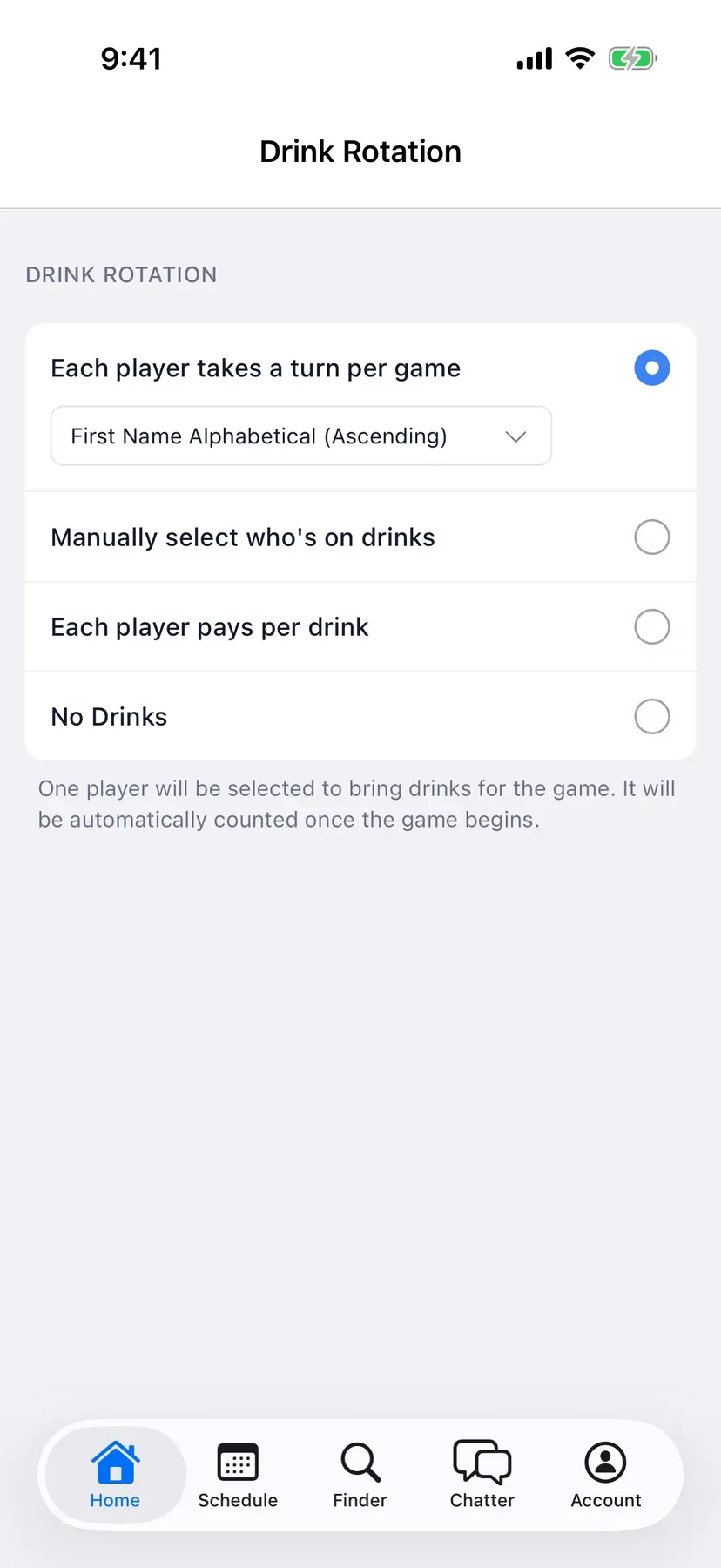
Let BenchApp pick who's on drinks each game, take turns in order, or choose yourself. Teams that pay per drink can count them instead.

  • Everyone takes a turn
  • Or pick who's on drinks yourself
  • Turn it off if your team doesn't do drinks
BenchApp on a computer: Drink Rotation settings
BenchApp on a phone: Drink Rotation settings

Drinks

See whose turn it is.

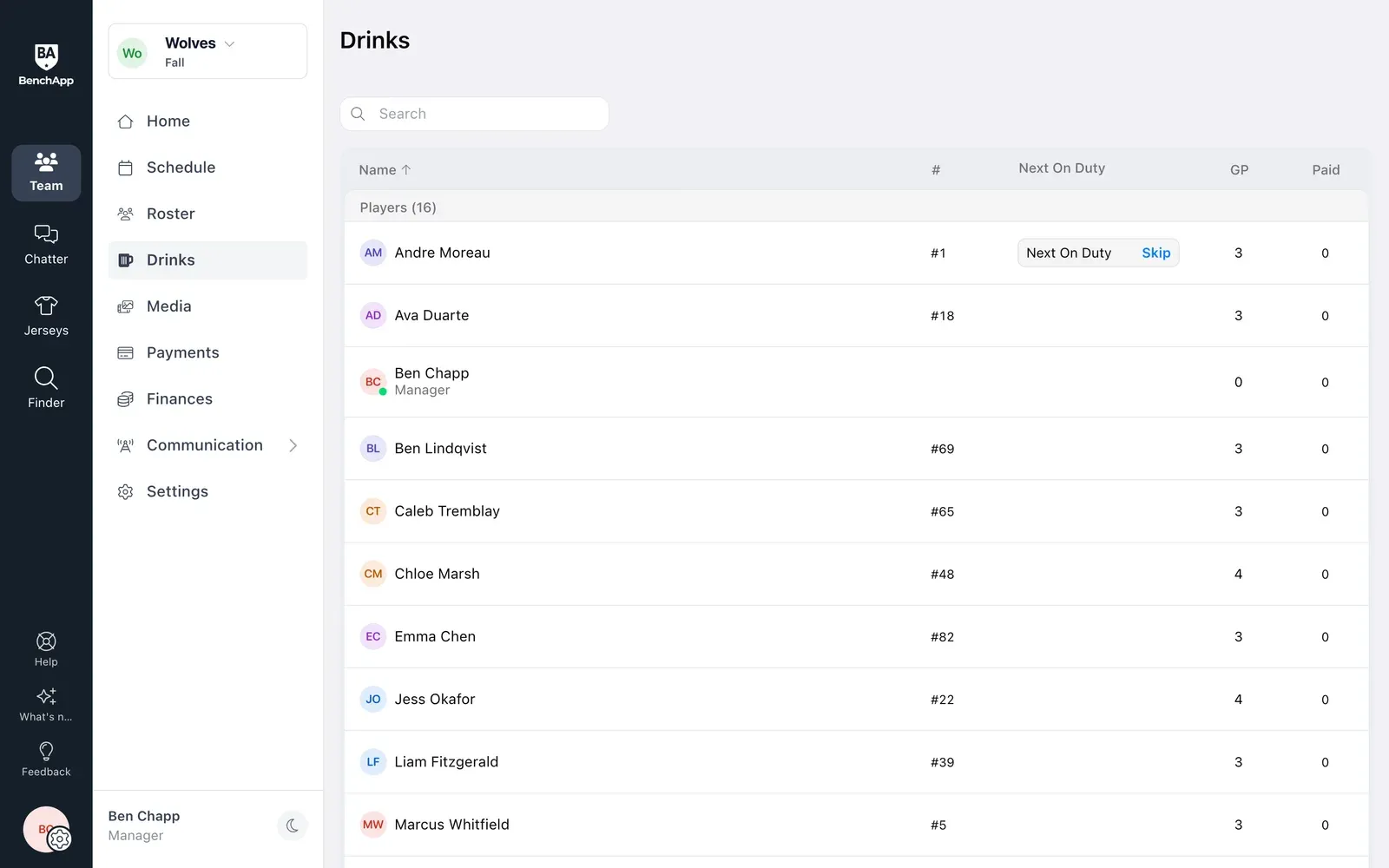
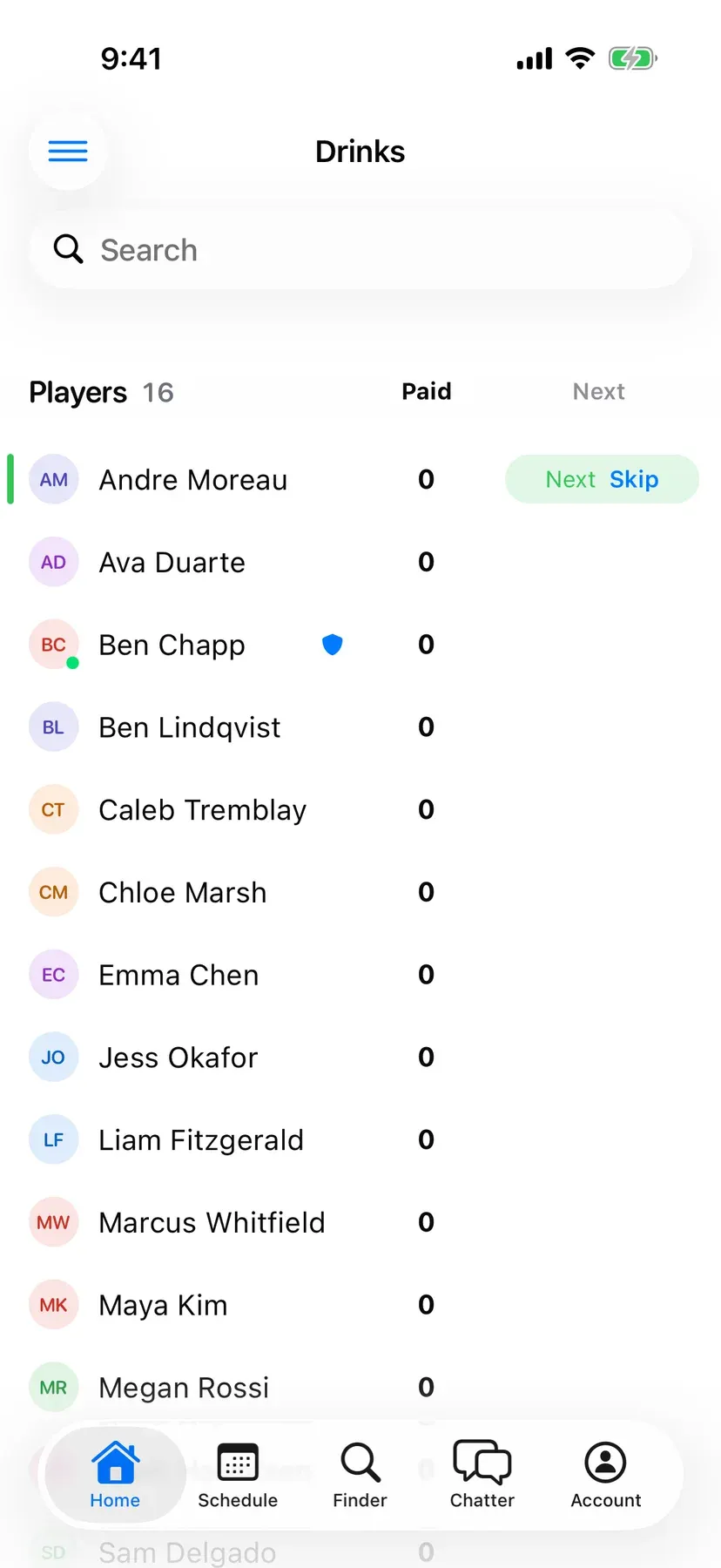
The drinks list shows who's up next and how many times everyone has brought them. If someone can't make it, skip to the next person.

  • Who's next, at a glance
  • Skip to the next player in a tap
  • A fair count for the whole season
BenchApp on a computer: the drinks list with who's next and a Skip button
BenchApp on a phone: the drinks list with who's next and a Skip button

FAQ

Questions, answered.

Are duties free?

Yes. Adding duties, asking for volunteers and the drink rotation are included for every team.

What kinds of duties can I add?

Things to bring, like water bottles, drinks, snacks, pucks, jerseys and the line-up sheet, and jobs to fill, like scorekeeper, time clock, penalty box and referee. You can also type your own.

Can I set a duty for every game?

Yes. Choose this game only, or every game, when you add the duty.

Can players volunteer?

Yes. Leave a duty open and it shows Volunteer Needed on the game, so any player can take it.

What if someone can't make it?

They can skip their duty, and the manager can reassign it or leave it open for a volunteer.

How does the drink rotation work?

Pick how your team does drinks: everyone takes a turn in order, the manager chooses who's on drinks, each player pays per drink, or no drinks at all.

See everything BenchApp can do

Stop asking who's bringing the pucks.

Create your team and hand out the game-day jobs in minutes.

Create your FREE team